Why planz? Features How it works Integration Industries Pricing Log in

Your whole team
on one screen.

Assign the job, track it on the map, collect proof of work. You decide what the worker submits — photo, signature, GPS, form. planz shows every step in real time, even offline.
Task completed
Live GPS tracking
The problem

Managing by phone, messages and paper no longer cuts it

Calls, WhatsApp groups, paper reports — everything is scattered. Every service company lives this; some have already built the system.

Tasks get lost

Calls, messages, groups — it all slips away. Nobody knows exactly who did what and when.

You don't know where your worker is

You call to ask every time. Real working time goes into phone chatter.

No proof, just disputes

"I went, but no one was home" — how do you prove that?

Tasks run late

You don't know why. The customer complains and you have no data.

No signal, system stops

Basement, between buildings, rural — without internet the worker is blind.

You want reports, there are none

How many jobs closed this month? Which worker is faster? No answer.

Task management

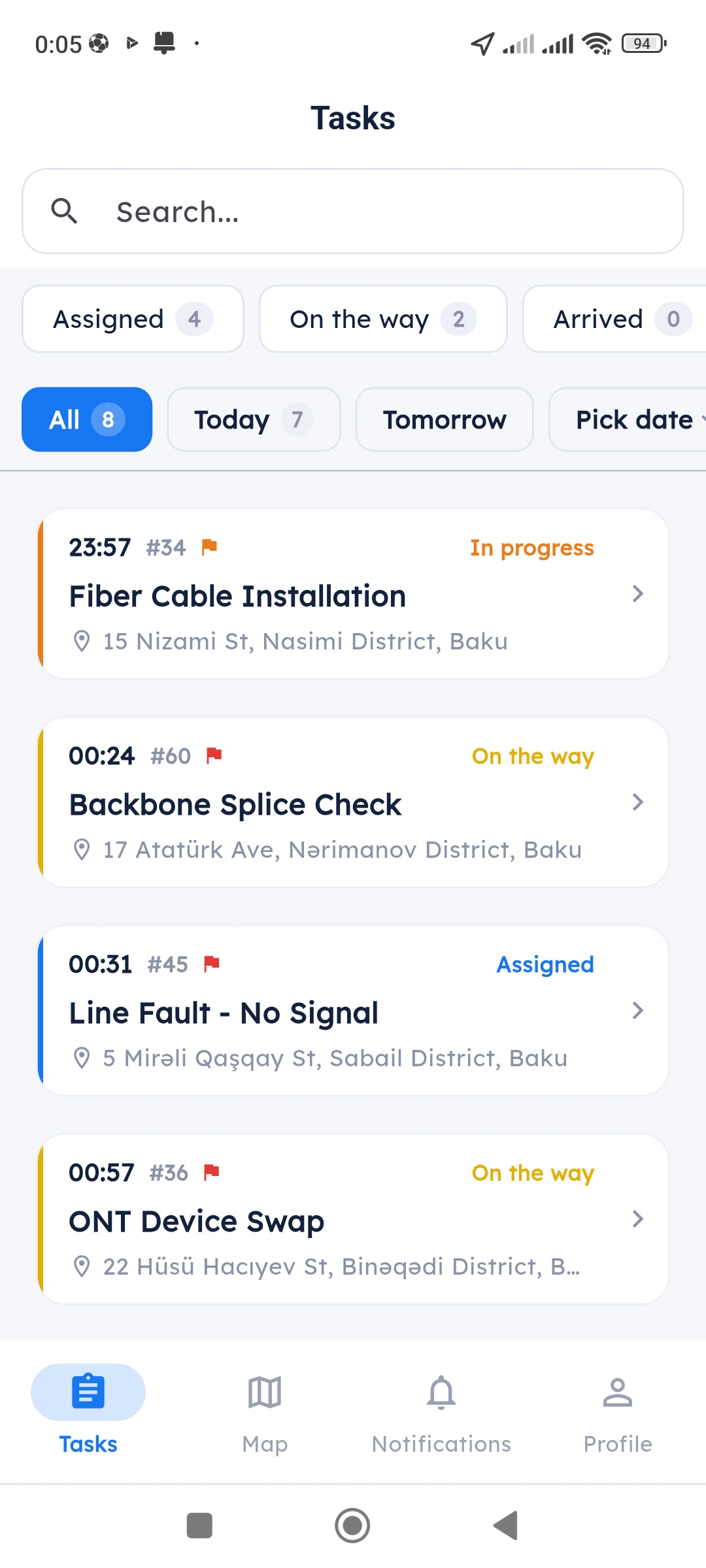
Workers see the task, you track the status

Assign from the panel — a push lands on the worker's phone instantly. For each task you choose what they submit: text, photo, signature, GPS location, barcode and more.

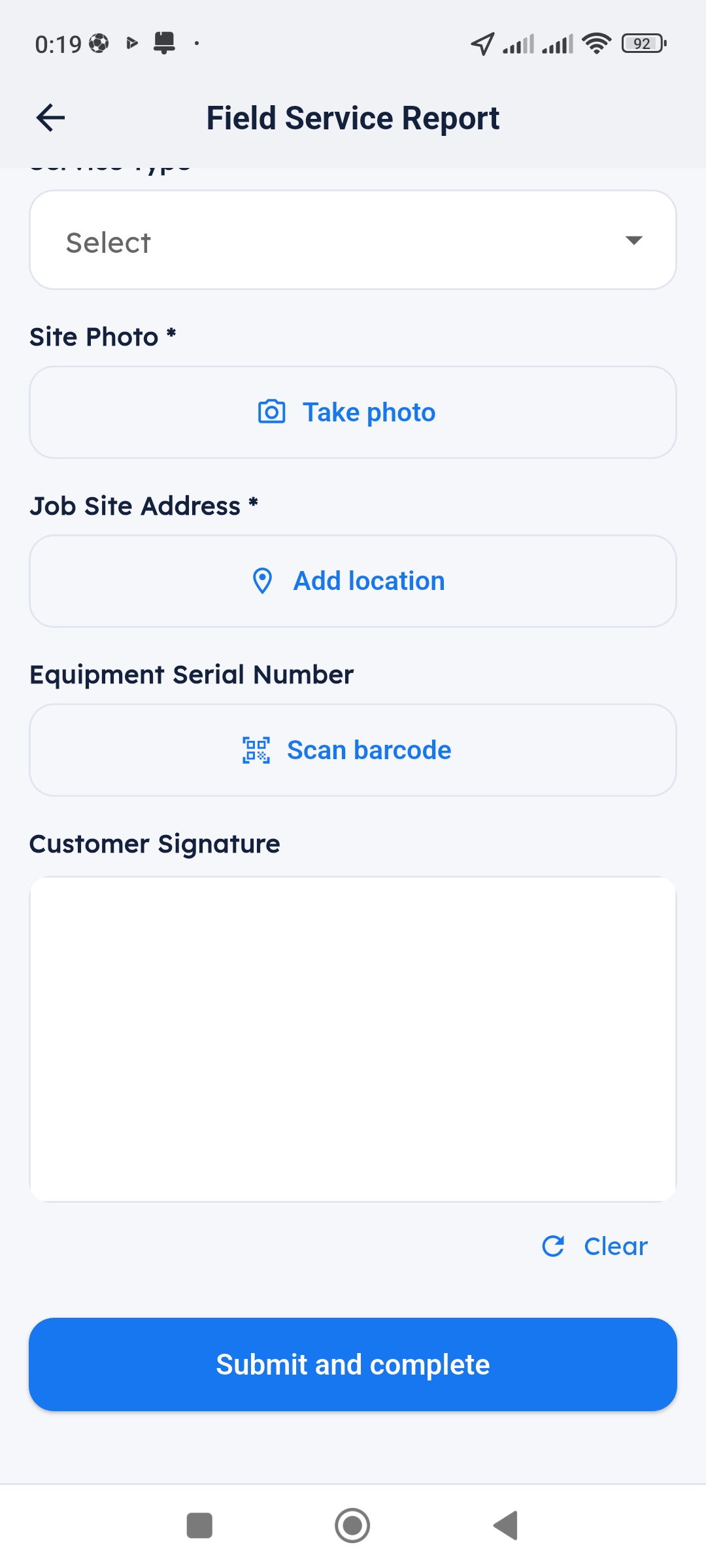
Build your own form fields: Text, Photo, Signature, GPS, QR/Barcode
You decide which field is required
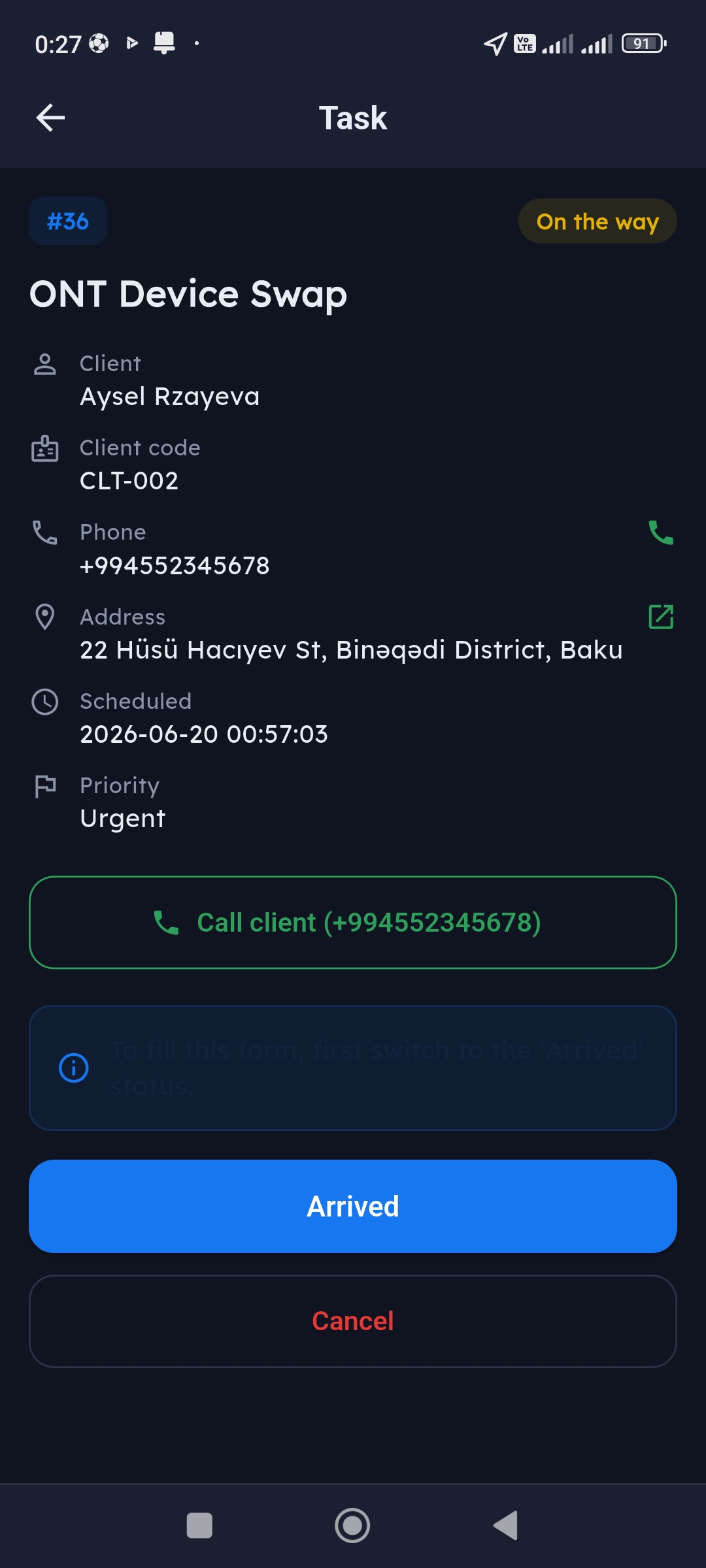
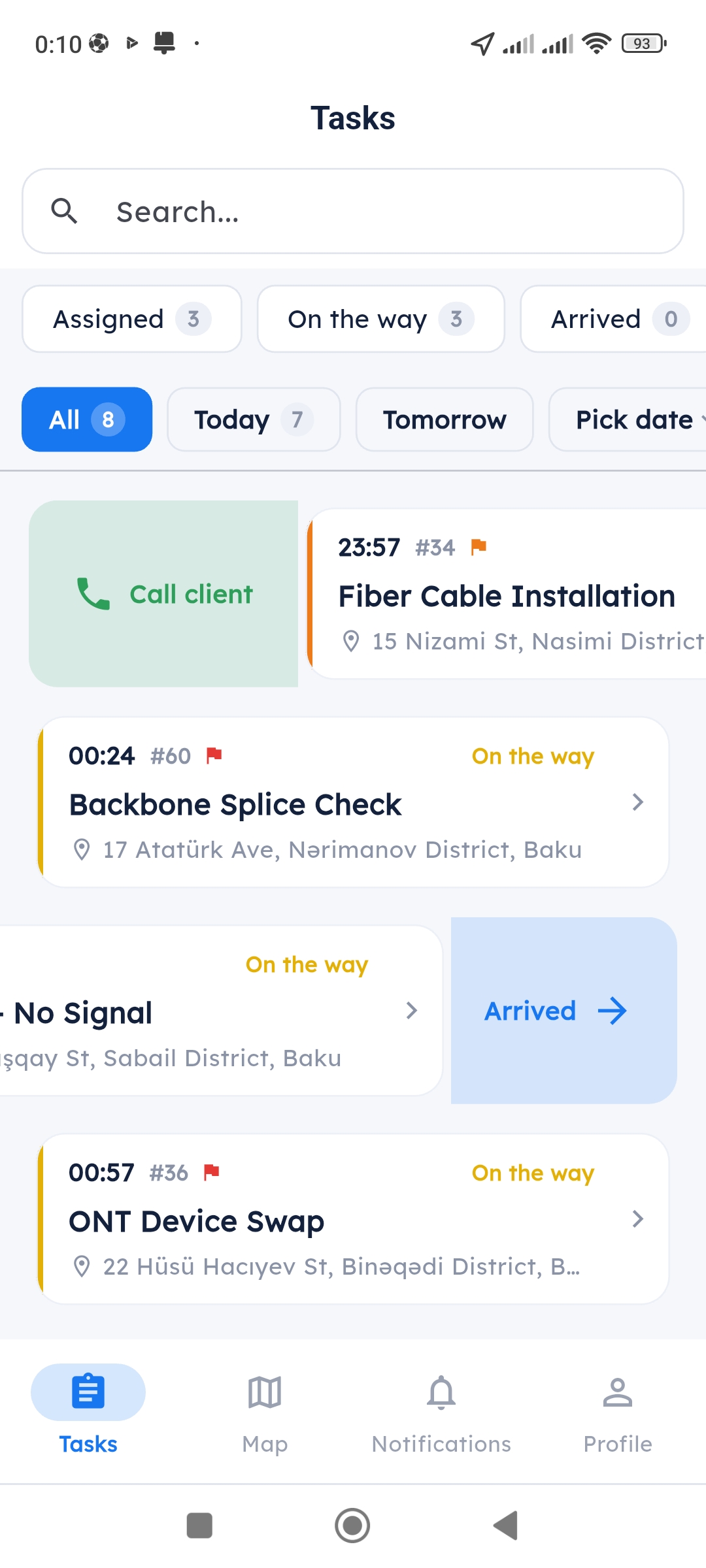
Swipe: Call, Arrived, Cancel
Live map

Two sides, one map

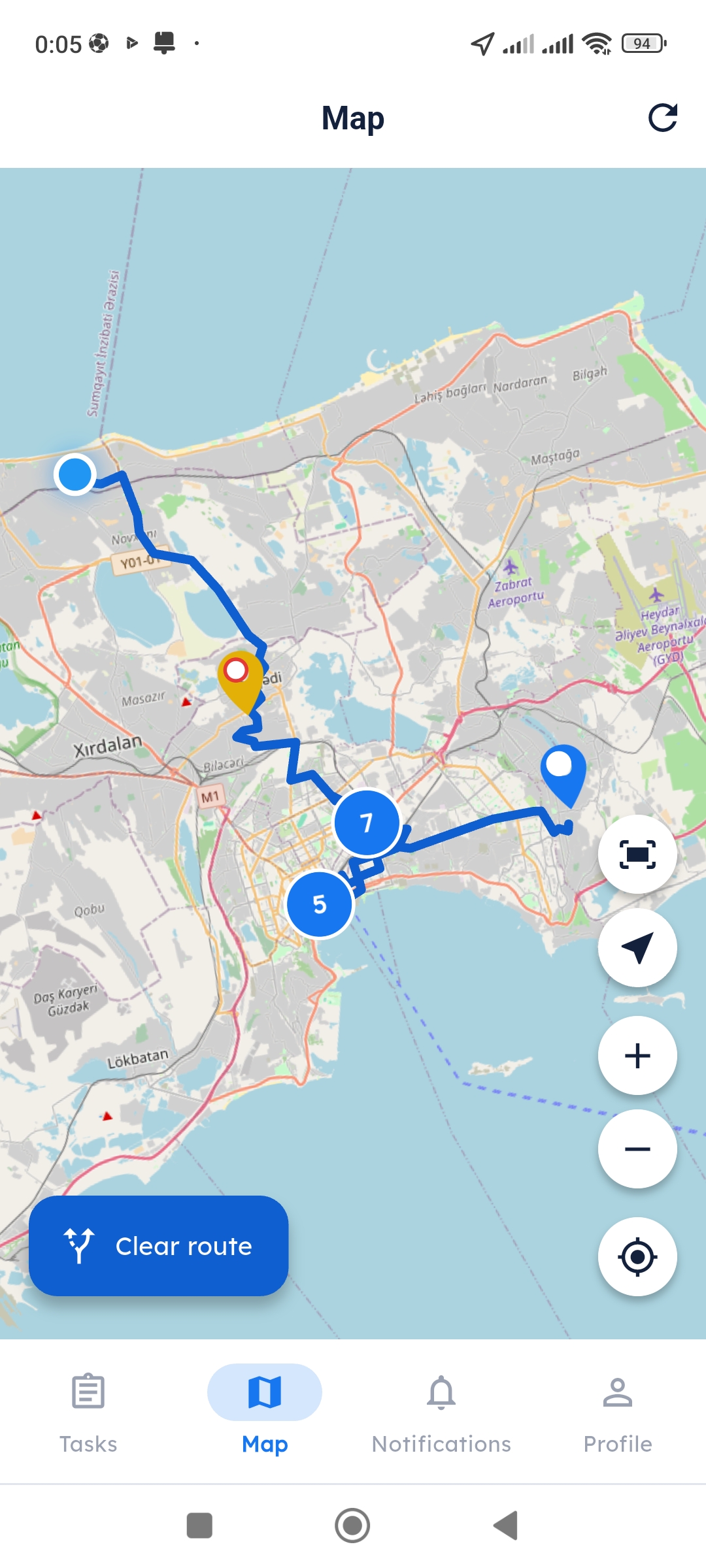
Workers see their tasks on the map and plan the shortest route. In the admin panel you track where everyone is in real time — who is en route, who is on site.

Worker: sees their jobs and builds a route
Admin: tracks the whole team on one map
GPS position updates in real time
Proof system

Signature, photo, GPS — no room for disputes

The worker finishes, fills the form you built, the customer signs on screen, a photo is taken — all uploaded with GPS and timestamp. No time to type? Tap the field and speak, the text is written automatically.

Signature, photo, GPS — whatever the admin requires
Voice to text: speak, it types itself
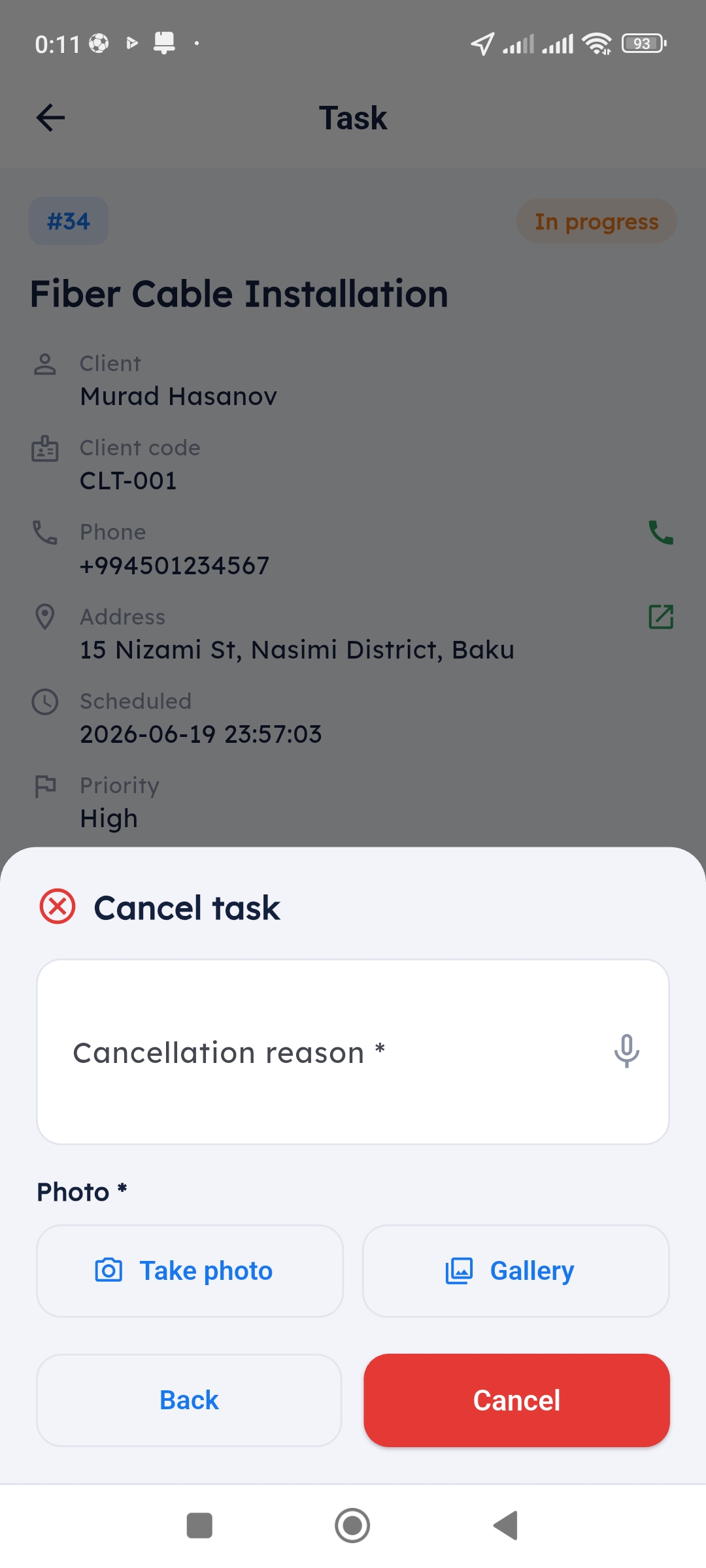
On cancel: reason + photo required
Offline mode

Tasks show even without internet

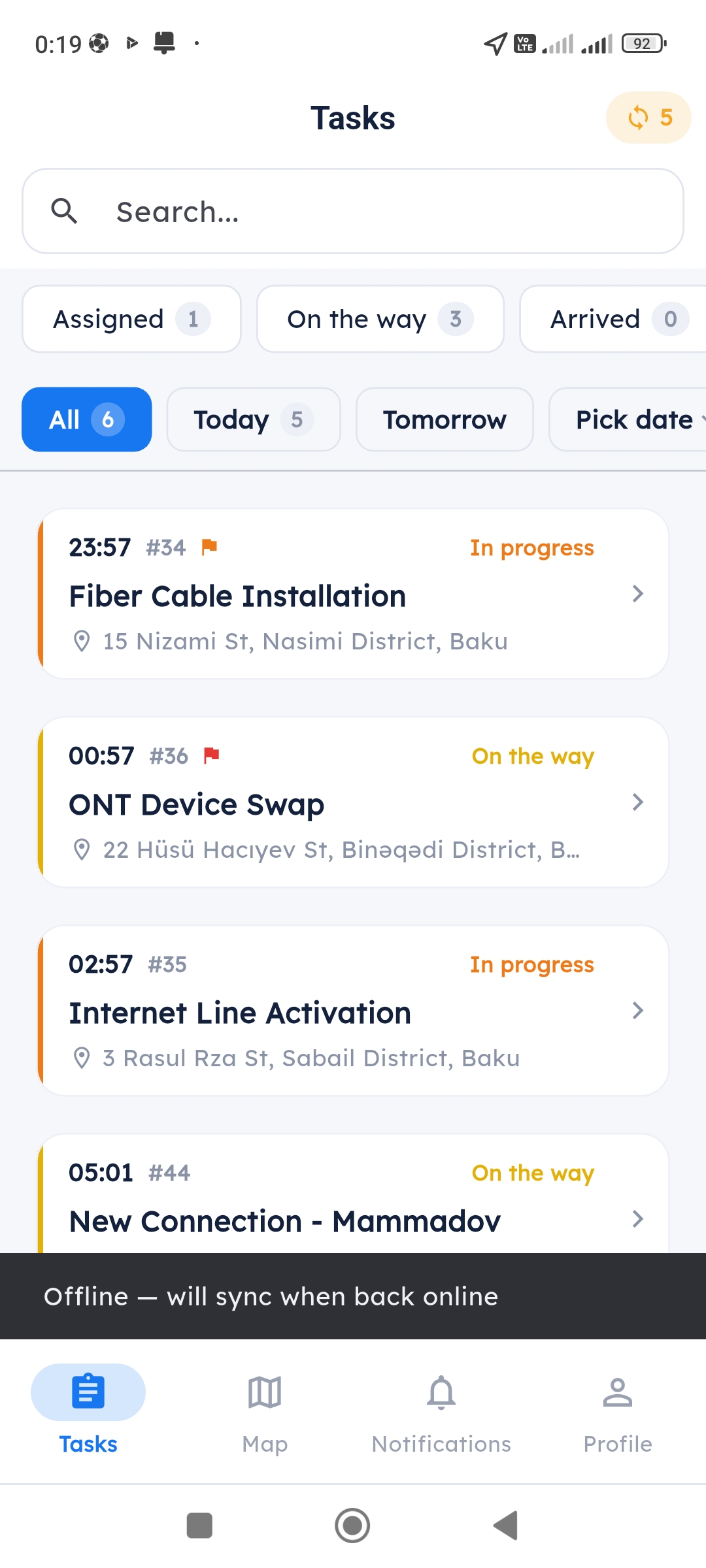
Basement, between buildings, remote village — the app works wherever there is no signal. Statuses change, forms get filled. When the connection returns, everything syncs automatically.

Tasks load and show offline
Changes are queued
Auto-syncs when connection returns
How it works?

From task to proof — 5 steps

This is the life of a job from start to finish

1

Task is created

Pick customer, address, priority

2

Push is sent

Appears on the worker's phone

3

Status steps

En route → Arrived → Started

4

Form is filled

Data the admin wants: signature, photo, GPS

5

Proof in the archive

The admin sees it, no disputes left

Integration

Connect it with your own system

planz works on its own, but if you already have a system — it talks to it. Pull clients via API from your own system (CRM, billing or any database) and push events to your server instantly via webhook.

Clients module: sync or pull clients via API
Webhook: task created / completed — instant notification
Secured with a secret, in JSON format
REST API Webhook Sync clients Secret token
# Pull clients from your system
GET /api/external/clients
# Sync clients
POST /api/external/clients/sync

# Webhook — when a task is completed
{
  "event": "task.completed",
  "task_id": 1042,
  "worker": "Sahil Zeynalov",
  "signature": true,
  "location": { "lat": 40.38, "lng": 49.85 }
}
The app

Real app, real screens

Industries

For every company with field workers

Internet / Telecom

Fiber installation, equipment swap, tech support

Logistics / Courier

Delivery route, receipt signature, live tracking

Technical Service

Equipment servicing, barcode scan, photo archive

Sales Representative

Customer visits, reporting, location tracking

And also

The details are covered too

16 languages

Workers use their own language — Azerbaijani, Russian, English and 13 more

Dark mode

Easy on the eyes — comfortable on night shifts too

Push notifications

New task, status change — instantly on the phone

Statistics

See how many jobs each worker closed and compare

Make your team professional today

Log into the admin panel and try it with your own company. No setup fee, no card required.